
Power Desk · Guided tour
Music
Add songs to your game and choose how your scripts play them. Take a short tour of the page.
Step 1 of 11
The Music page
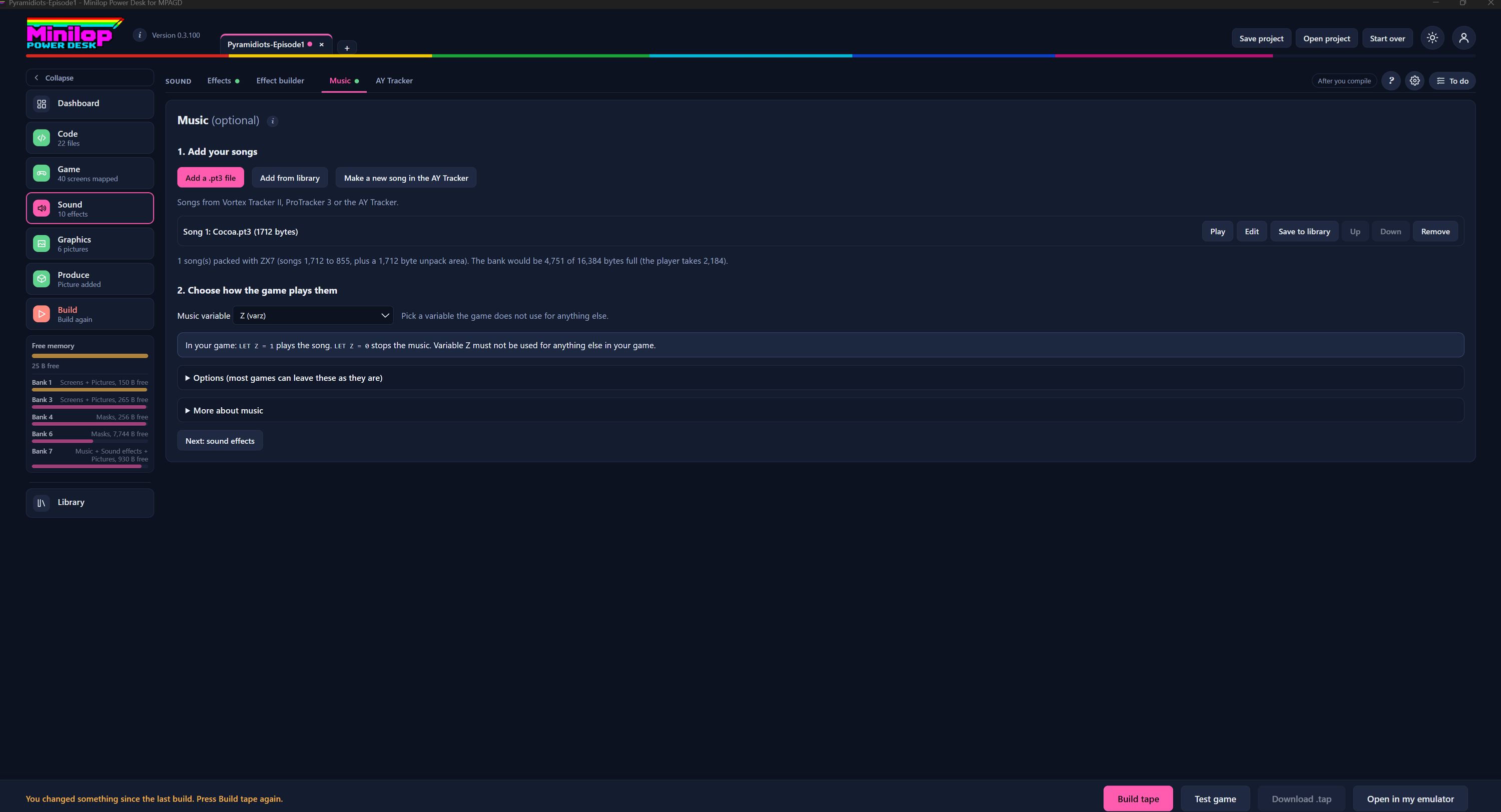
Music is optional. Here you add songs to your game and choose how your scripts play them. Use Next, or the numbers, to walk round the screen.
Find it in Sound
Music is a tab in Sound, beside Effects, Effect builder and AY Tracker. The green dot means this part of the project has something in it.
Add your songs
Add a .pt3 file loads a song from your computer, and Add from library picks one you saved earlier. Make a new song in the AY Tracker opens the tracker to write one from scratch. Songs from Vortex Tracker II, ProTracker 3 or the AY Tracker all work.
Your song list
Each song shows its name and size in bytes. Play to hear it, Edit to open it in the tracker, Save to library to keep a copy, Up and Down to change the order, and Remove to take it out.
What it costs in memory
This line says how the songs are packed and how full the music bank would be, for example 4,751 of 16,384 bytes with the player taking 2,184. Read it before you add more songs.
Choose how the game plays them
Pick a Music variable that your game does not use for anything else. The Desk shows the variable's name in brackets.
The two lines to remember
In your game, LET Z = 1 plays the song and LET Z = 0 stops the music. Z here is the variable you chose, so it must not be used for anything else.
Options and more help
Options holds settings that most games can leave as they are. More about music has extra notes. Both open when you press them.
Keep an eye on memory
The Free memory gauge shows the bytes left in main memory and in each 128K bank. Music takes space in Bank 7, so check it after adding songs.
Carry on to sound effects
Next: sound effects takes you to the following page. Songs added here are included the next time you build.
Then build the tape
With your songs in, build the tape and test your game with its music in the built-in emulator.
Next tour: Sound effects All tours