
Power Desk · Guided tour
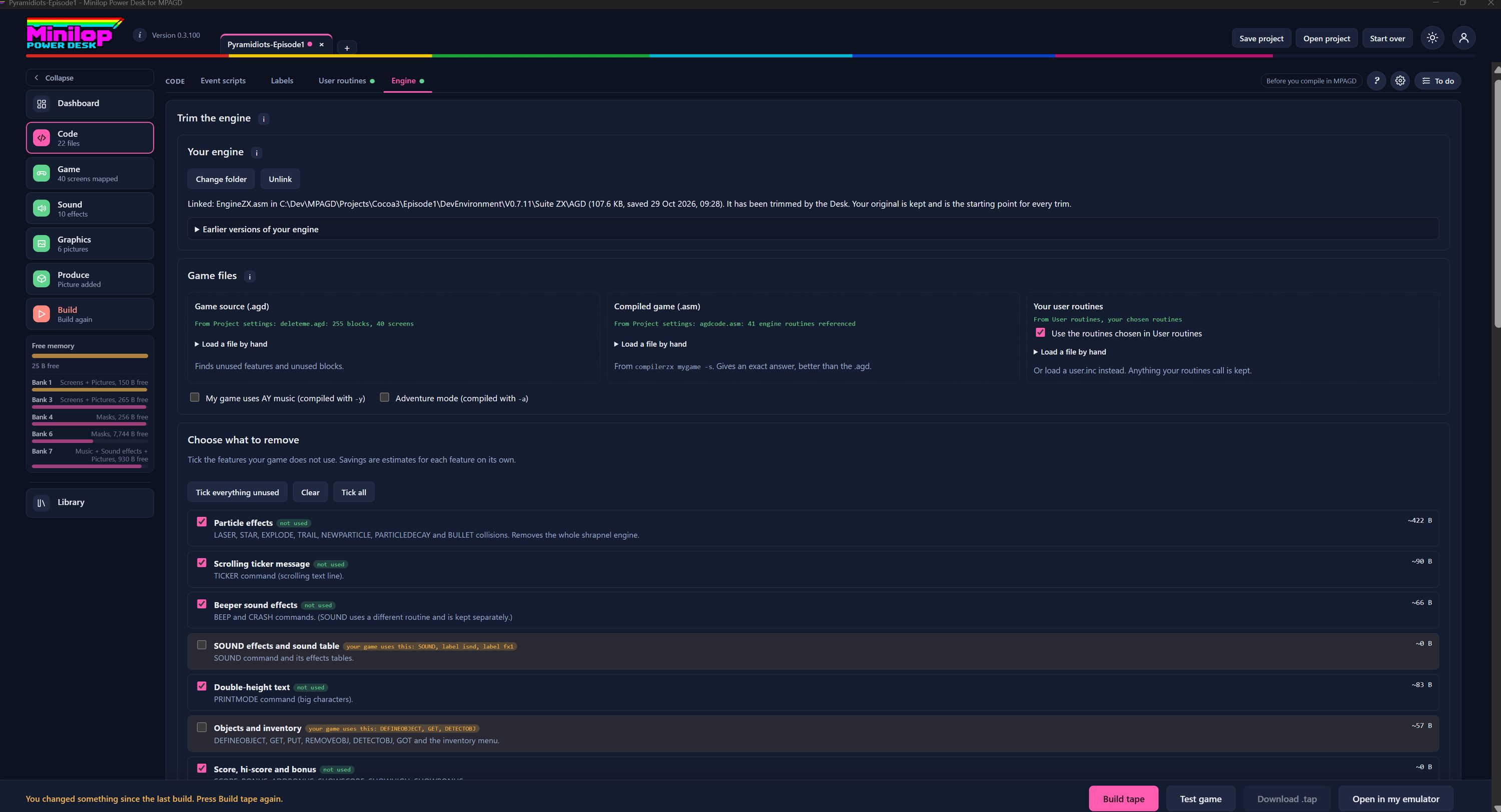
Trim the engine
Remove the parts of the MPAGD engine your game never uses and win back memory. Take a short tour of the page.
Step 1 of 12
Trim your engine to fit
The Engine page lets you remove the parts of the MPAGD engine your game never uses, which frees up memory. Use Next, or the numbers, to walk round the screen.
Four tabs, and Engine is the last
Code has four tabs: Event scripts, Labels, User routines and Engine. The green dot beside Engine shows that your engine is linked.
Your engine
Change folder points the Desk at your EngineZX.asm, and Unlink lets go of it. The line below shows which file is linked, how big it is and when it was saved. Your original is kept and is the starting point for every trim.
Earlier versions
Earlier versions of your engine are listed here, so you can see what you had before.
Tell it about your game
Game files shows where the Desk looks to find what your game uses. It reads your .agd game source and your compiled .asm from the project settings, and you can load a file by hand if you prefer. The compiled game gives an exact answer, better than the .agd.
Music and adventure mode
Tick the first box if your game uses AY music (compiled with -y) and the second for adventure mode (compiled with -a), so the Desk keeps what those need.
Choose what to remove
Tick the features your game does not use. Each one has a short description of the commands it covers, and the savings are estimates for each feature on its own.
Quick ticking
Tick everything unused ticks every feature your code does not use. Clear unticks them all and Tick all ticks the lot.
Features your game uses
A green "not used" tag means your game never calls the feature. A yellow tag lists the commands your game does use, such as SOUND or GET, and the box stays unticked so you do not remove it by mistake.
The cost of each feature
The figure at the right of each row is roughly how many bytes you save by removing that feature.
Keep an eye on memory
The Free memory gauge in the side list shows the bytes free in main memory and in each 128K bank.
Then build the tape
When your choices are made, build the tape, test it in the built-in emulator or open it in your own, all without leaving the Desk.