
Ahora que tenemos preparada el área de juego, vamos a crear la nave espacial del jugador y a trabajar en el código para controlarla.
MENÚ: EDITOR > SPRITES (tutorial para principiantes)
Esta es la mía, ¡pero siéntete libre de ser creativo con la tuya!
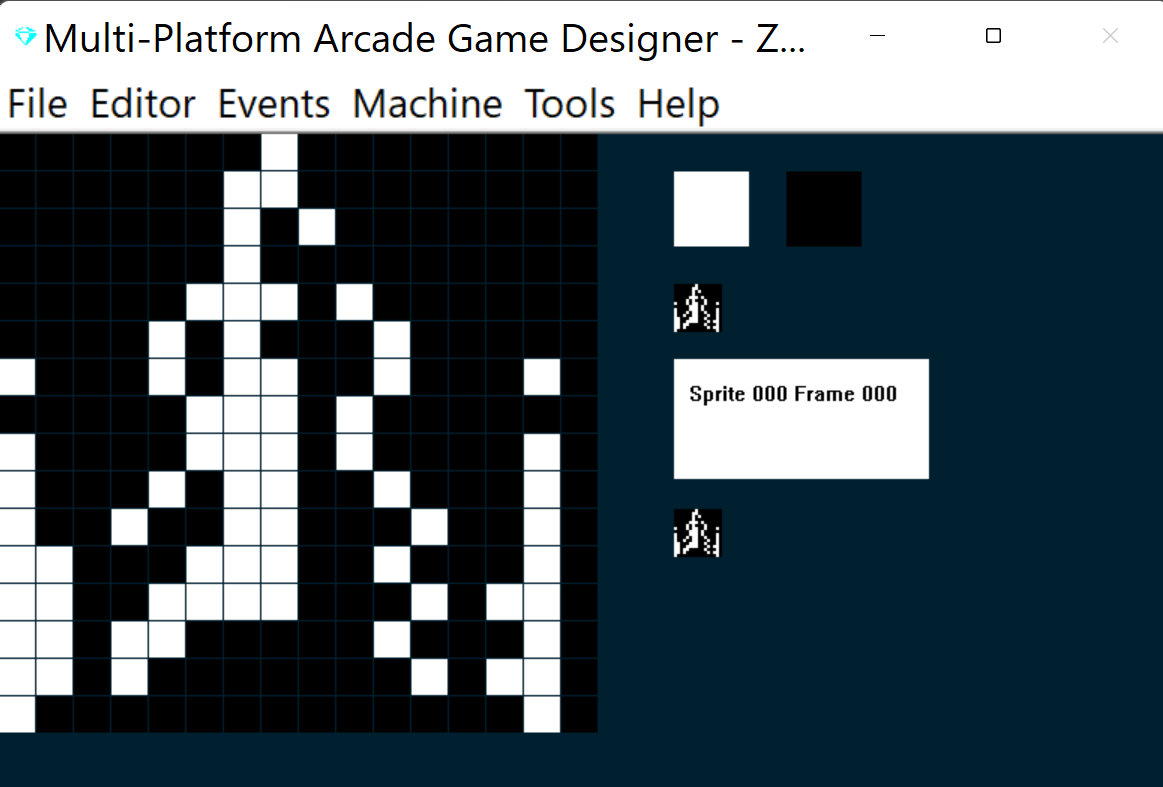
Voy a añadir un segundo fotograma para la nave, que se mostrará si el jugador usa la tecla THRUST para subir por la pantalla. Solo tendrá una pequeña llama de propulsión saliendo por la parte trasera de la nave. La forma más rápida de hacerlo es:
M copiar el fotograma actual
I insertar un fotograma nuevo
K pegar el fotograma original
y luego editarlo:
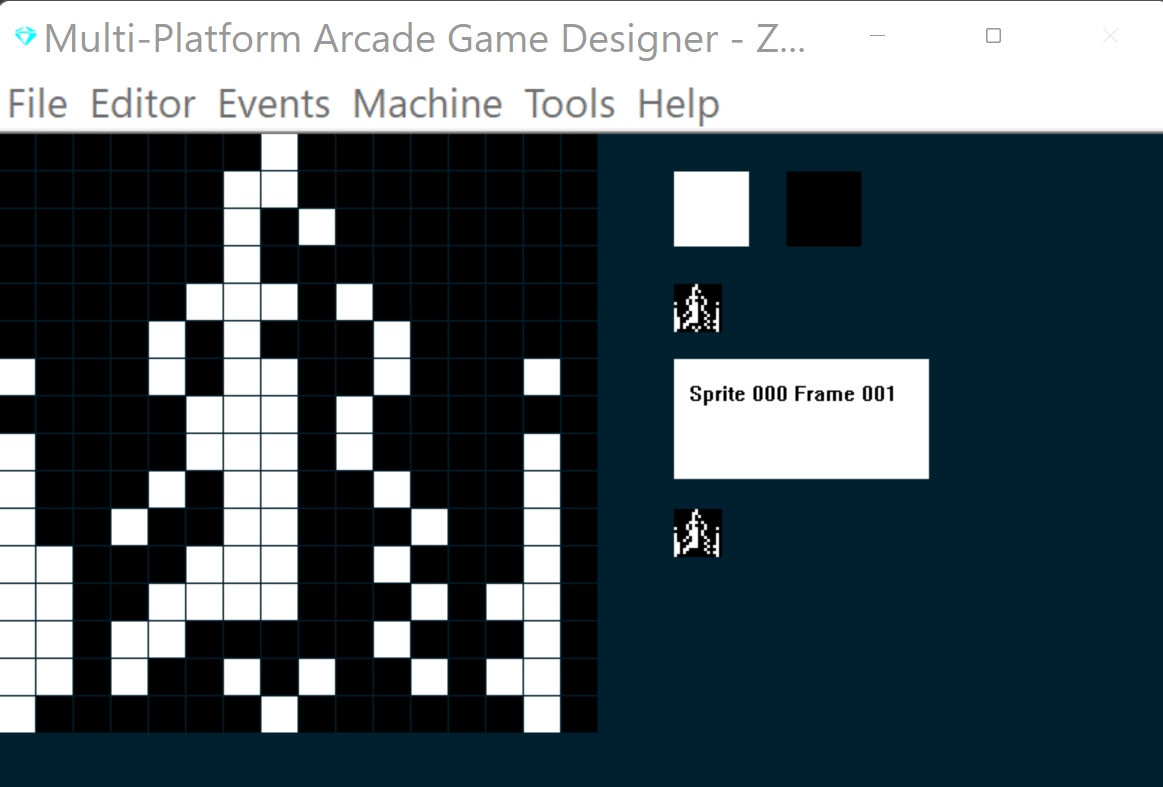
Vale, con eso bastará para los gráficos por ahora. A continuación escribiremos código para controlar la nave espacial. Las reglas que quiero son:
1) Las teclas izquierda y derecha para mover la nave a izquierda y derecha
2) Una tecla Thrust que, al pulsarla, mueva al jugador hasta la mitad de la pantalla, pero que, al soltarla, el jugador vuelva a la deriva hacia abajo. Al pulsar thrust también queremos mostrar el Frame 001 para enseñar la llama de propulsión
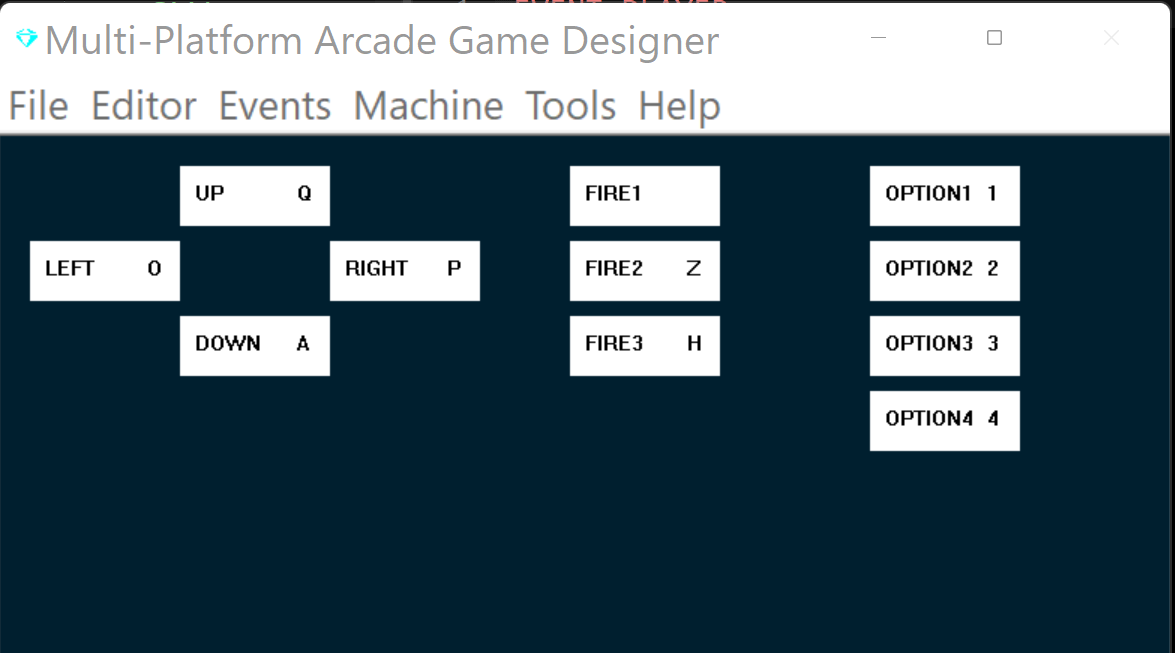
Primero, definamos nuestras teclas; yo prefiero QAOP Space:
MENÚ: EDITOR > KEYBOARD CONTROLS (tutorial para principiantes)
MENÚ: EVENTS > PLAYER (tutorial para principiantes)
Para empezar, añadiremos algo de script básico de MPAGD que se encargue del movimiento:
EVENT PLAYER


						; COLOURS
						; =======================
SPRITEINK 69				; Bright Cyan ink

IF KEY UP				; Player presses up (thrust)
	LET FRAME = 1			; switch to the frame that shows jetflame
	IF Y > 80			; If player is below the 80 y pixel line
		SPRITEUP			; move player up
		SPRITEUP			; and up again (faster movement)
	ENDIF
ELSE						; if player is not pressing thrust
	LET FRAME = 0			; switch to the regular spaceship (no jetflame)
	SPRITEDOWN			; move player down
ENDIF

						; PLAYER MOVEMENT
						; ====================
IF KEY LEFT				; has player pressed LEFT?
	IF CANGOLEFT			; can the player move left?
		SPRITELEFT		; yes, move player left
		SPRITELEFT		; and again (moves faster)
	ENDIF
ENDIF

IF KEY RIGHT				; has the player pressed RIGHT?
	IF CANGORIGHT			; yes, can the player move right?
		SPRITERIGHT		; yes, move player right
		SPRITERIGHT		; and again (moves faster)
	ENDIF
ENDIF
						; BOUNDARY CHECK
						; ====================
IF Y >= BOTTOMEDGE		; has player gone beyond the bottom edge?
	LET Y = BOTTOMEDGE	; yes, keep them at the bottom edge
ENDIF
Bien, ya es suficiente por ahora; compilemos el juego y veamos cómo va...
¡Éxito! La nave puede moverse a izquierda y derecha, impulsarse hacia arriba y volver a la deriva hacia abajo.
A continuación, vamos a crear un arma básica para el jugador que pueda disparar
SIGUIENTE: PARTE 4: EL ARMA DEL JUGADOR