
Hasta ahora tenemos una nave espacial que el jugador puede controlar; ahora vamos a darle un arma que pueda disparar. Primero, hay que tener en cuenta que, de serie, MPAGD trabaja con sprites de 16 x 16 píxeles, así que de entrada crearemos un arma de 16 x 16.
Vamos a crear el sprite del arma:
MENÚ: EDITOR > SPRITES
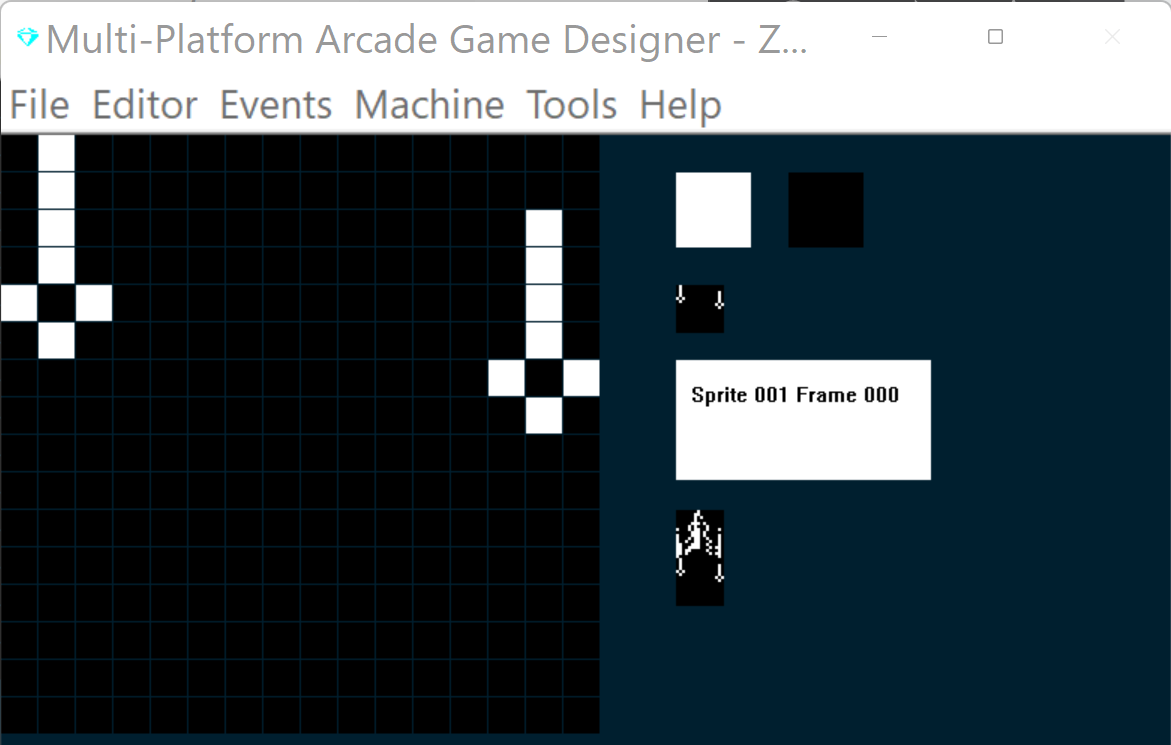
Pulsa X para añadir un sprite nuevo y crea tus Torpedos de Fotones (¡o lo que quieras que dispare la nave enemiga!). Este es el mío:
Ahora, antes de empezar a programar, hay un par de cosas que debemos tener en cuenta:
1) MPAGD solo puede manejar 12 sprites en pantalla a la vez, así que vamos a tener que llevar la cuenta de cuántos hay en juego.
2) Vamos a querer comprobar que el jugador ha soltado la tecla de disparo cada vez que dispara, sin disparo automático, así que tendremos que comprobar el antirrebote de la tecla (key debouncing).
Cada una de estas cosas se resuelve con bastante facilidad.
Llevar la cuenta de los sprites en pantalla
Usaremos una variable, S, para llevar la cuenta de cuántos sprites hay en pantalla en cada momento. Cada vez que aparezca un enemigo o se dispare un torpedo, incrementaremos la cuenta, asegurándonos de que nunca pase de 12. Del mismo modo, cada vez que se elimine uno, decrementaremos la cuenta (S).
Para empezar, pondremos S a 0 en el evento RESTART SCREEN y luego haremos ADD 1 a S por cada sprite cuando se inicialice:
MENÚ: EVENTS > RESTART SCREEN
EVENT RESTARTSCREEN

LET S = 0			; initialise the sprite counter
MENÚ: EVENTS > INITIALISE SPRITES
EVENT INITSPRITE

ADD 1 TO S            ; increment the sprite counter
Así, cuando se dibuja la pantalla, S empieza en 0 y se incrementa por cada sprite que se coloca después en la pantalla
A continuación, escribiremos código para los Torpedos de Fotones (el arma) que defina lo que ocurre cuando el jugador dispara uno. Usaremos el Sprite type 1 para el arma:
MENÚ: EVENTS > SPRITE TYPE 1
Q
EVENT SPRITETYPE1

							; PHOTON TORPEDOS
							; ====================


IF DIRECTION 1				; Torpedo travel up
	LET IMAGE = 1				; make sure we are on image 1
	REPEAT 6					; torpedos move quick, so do this 6 times
	SPRITEUP					; move up
	ADD 2 TO SETTINGB			; increase the distance counter by 2
	IF SETTINGB > = 88		; when distance travelled = 88
		LET DIRECTION = 99	; run the explode routine
	ENDIF
		IF Y <= 8			; has the torpedo reached the top?
		LET DIRECTION = 99	; yes, so explode it
		EXIT				; exit this event (as we are in a loop)
	ENDIF
	ENDREPEAT
ENDIF

IF DIRECTION = 99				; explode the torpedo
	REMOVE					; remove the torpedo
	SUBTRACT 1 FROM S			; decrement the sprite counter
ENDIF
Como en Arcadia, los torpedos del jugador no recorren toda la altura de la pantalla, sino que explotan tras recorrer la mitad, así que haremos lo mismo. He usado la variable local SETTINGB para calcular cuándo el torpedo ha recorrido 88 píxeles. En ese momento cambiamos su DIRECTION a 99, que es una subrutina que hará explotar el torpedo. Más adelante diseñaremos un gráfico de explosión; por ahora, simplemente eliminaremos el sprite y decrementaremos la variable contador de sprites (S).
Recuerda actualizar el evento Initialise Sprite para poner SETTINGB a 0 cuando se inicializa un torpedo por primera vez.
EVENT INITSPRITE

ADD 1 TO S				; increment the sprite counter

IF TYPE 1				; PHOTON TORPEDO
	LET SETTINGB = 0		; initialise the distance counter
ENDIF
A continuación, volveremos al evento del jugador y añadiremos el código para el botón de FIRE:
EVENT PLAYER
AT 0 14 DISPLAY TRIPLEDIGITS S

						; COLOURS
						; =======================
SPRITEINK 69				; Bright Cyan ink

IF KEY UP				; Player presses up (thrust)
	LET FRAME = 1			; switch to the frame that shows jetflame
	IF Y > 92 			; If player is below the 80 y pixel line
		SPRITEUP			; move player up
		SPRITEUP			; and up again (faster movement)
	ENDIF
ELSE						; if player is not pressing thrust
	LET FRAME = 0			; switch to the regular spaceship (no jetflame)
	SPRITEDOWN			; move player down
ENDIF

						; PLAYER MOVEMENT
						; ====================
IF KEY LEFT				; has player pressed LEFT?
	IF CANGOLEFT			; can the player move left?
		SPRITELEFT		; yes, move player left
		SPRITELEFT		; and again (moves faster)
	ENDIF
ENDIF

IF KEY RIGHT				; has the player pressed RIGHT?
	IF CANGORIGHT			; yes, can the player move right?
		SPRITERIGHT		; yes, move player right
		SPRITERIGHT		; and again (moves faster)
	ENDIF
ENDIF

								; FIRE PHOTON TORPEDOS
								; ====================
IF KEY FIRE						; if player presses fire key
	IF SETTINGA = 0				; if firekey is debounced
		IF S < 12				; and if less than 12 on screen
			SPAWN 1 1			; spawn a bullet
			LET SETTINGA = 1		; bounce the fire key
			SPAWNED				; switch to the Photon Torpedo
			LET DIRECTION = 1		; set its direction to 1 (up)
			ENDSPRITE			; return to this sprite
		ENDIF
	ENDIF
ELSE								; fire key not pressed
	LET SETTINGA = 0				; debounce it
ENDIF


						; BOUNDARY CHECK
						; ====================
IF Y >= BOTTOMEDGE		; has player gone beyond the bottom edge?
	LET Y = BOTTOMEDGE	; yes, keep them at the bottom edge
ENDIF
Vamos a probarlo, compilando el juego
Funciona como esperaba. Ahora vamos a pulirlo creando una explosión, para lo que añadiremos algunos fotogramas más a nuestro sprite del torpedo:
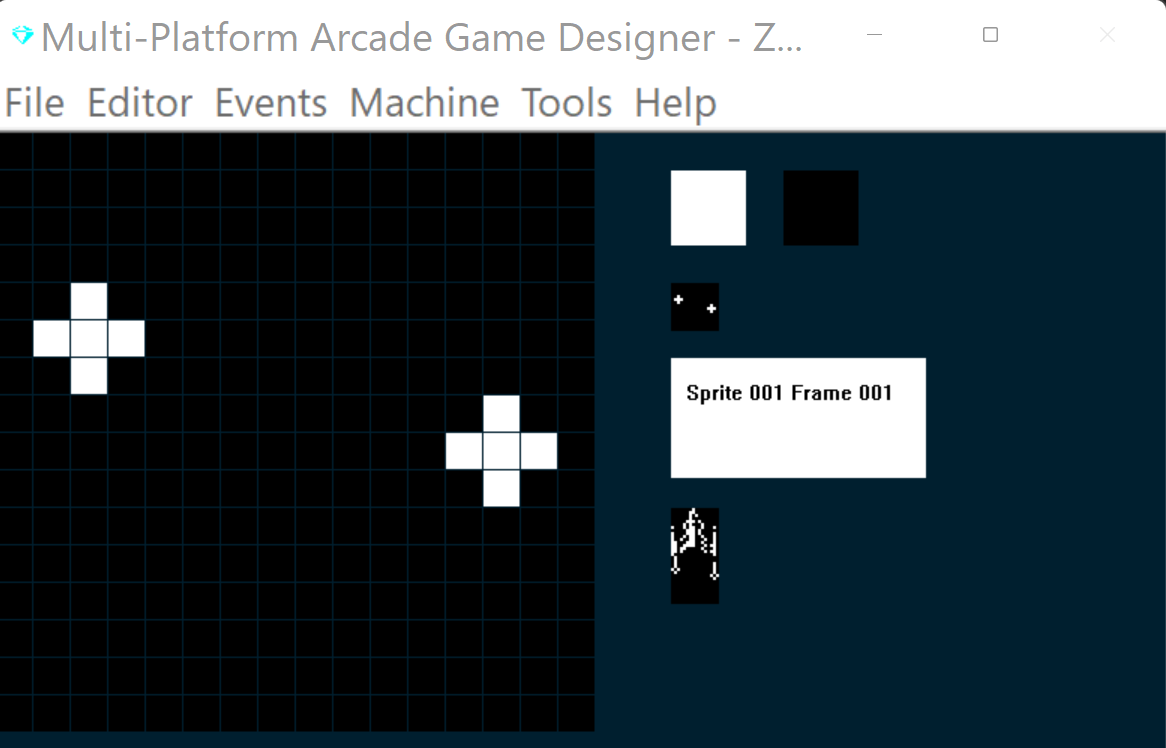
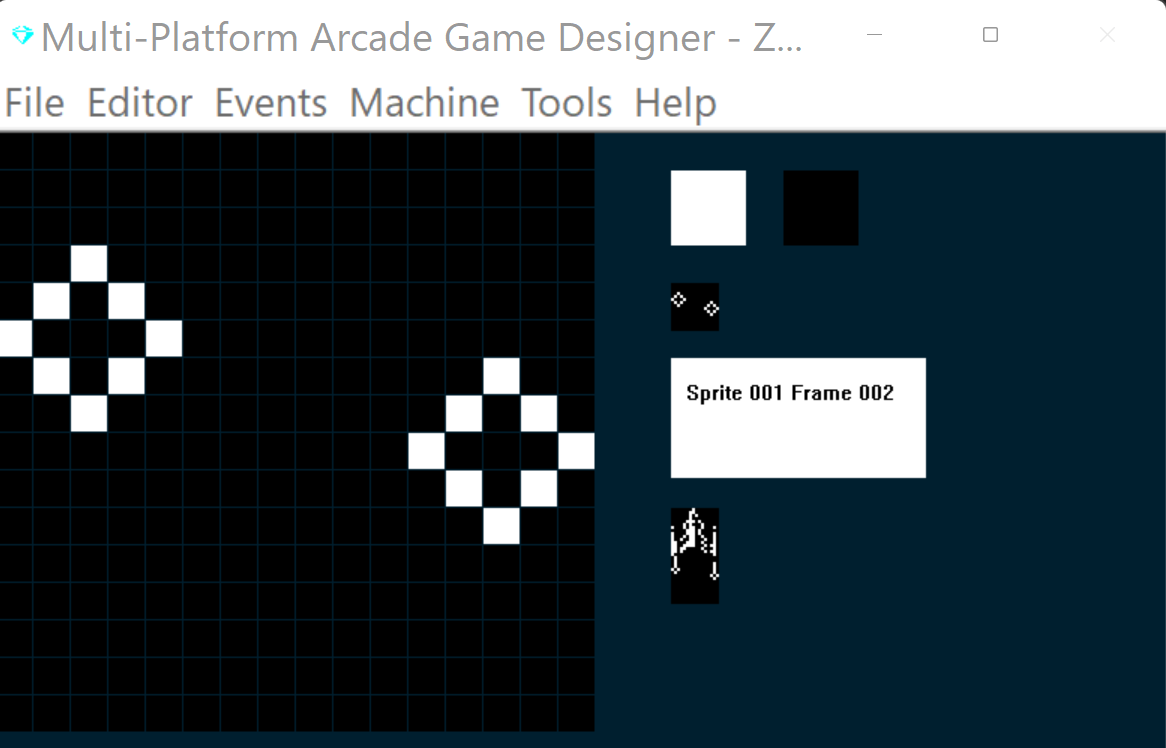
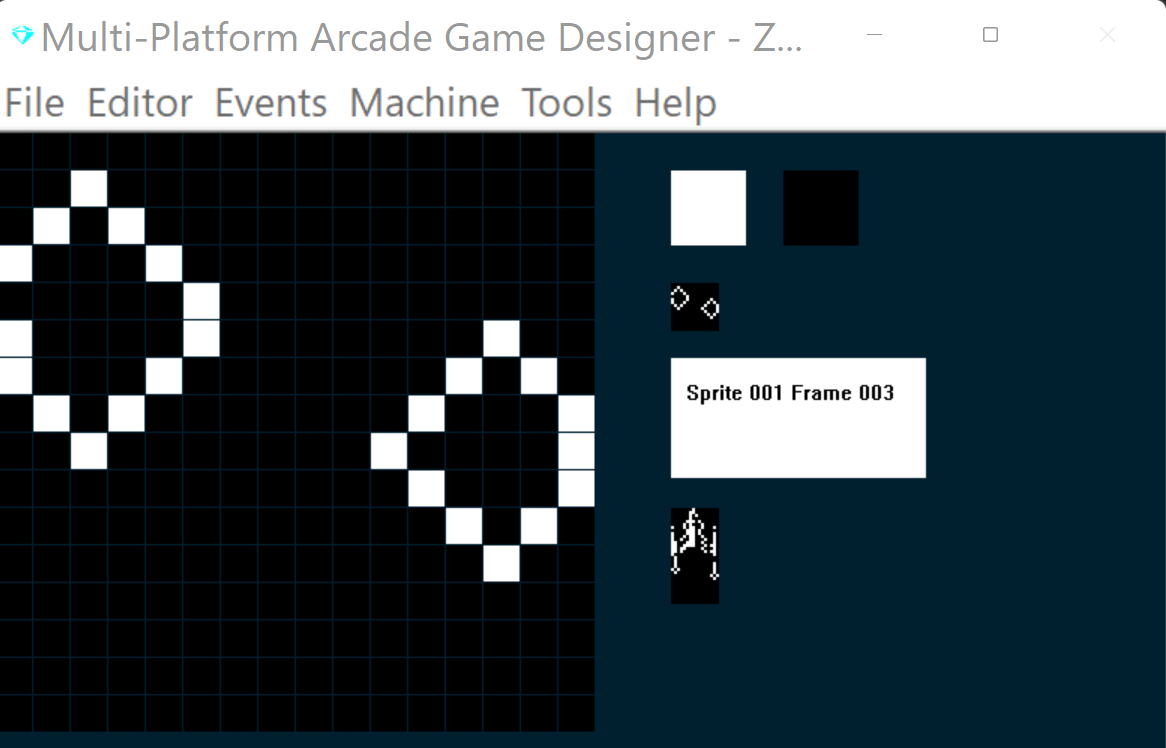
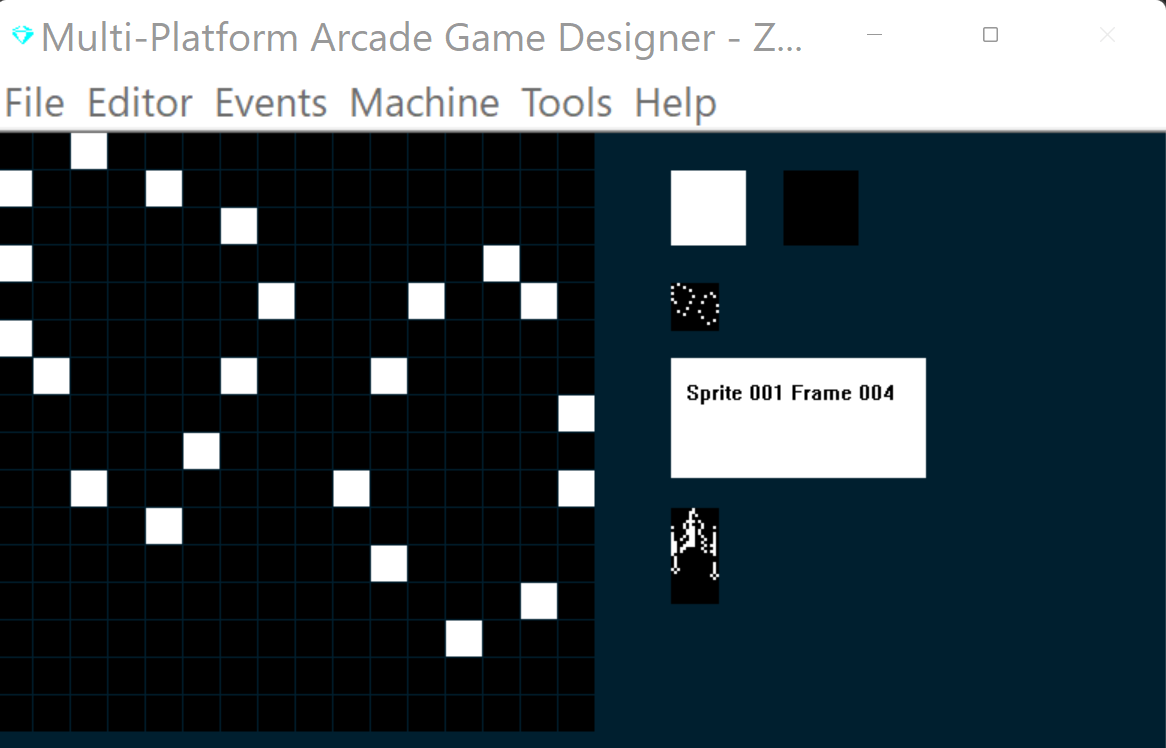
Ahora actualizaremos nuestra subrutina de explosión en el evento del torpedo (SPRITE TYPE 1). He resaltado el código nuevo a continuación:
EVENT SPRITETYPE1

						; PHOTON TORPEDOS
						; ====================


IF DIRECTION 1			; Torpedo travel up
	LET IMAGE = 1			; make sure we are on image 1
	REPEAT 6				; torpedos move quick, so do this 6 times
	SPRITEUP				; move up
	ADD 2 TO SETTINGB		; increase the distance travelled counter by 2
	IF SETTINGB > = 88	; when distance travelled = 88
		LET DIRECTION = 99; run the explode routine
	ENDIF
	IF Y <= 8			; has torpedo reached the top?
		LET DIRECTION = 99; yes, so explode it
		EXIT				; quit this event as we are in a loop
	ENDIF
	ENDREPEAT
ENDIF

IF DIRECTION = 99			; explode the torpedo
	ADD 1 TO FRAME		; increment the frame
	IF FRAME = 5			; when we reach the last frame
		REMOVE			; remove the torpedo
		SUBTRACT 1 FROM S	; decrement the sprite counter
	ENDIF
ENDIF
Bien, ya tenemos nuestra nave espacial, que puede moverse y disparar torpedos... ¡creo que vamos a necesitar un enemigo!
SIGUIENTE: PARTE 4: NUESTRO PRIMER ENEMIGO ALIENÍGENA