
Switches are useful, imagine a kettle without one, sad isn't it?
Adding switches into your games opens up a bunch of new possibilities, maybe they open doors, activate a device, or spawn a nasty. Whatever you want the player to do, this simple switch code will get you started.
First let's design a switch sprite, if you are running low on available memory then maybe a single frame will do (we can use SPRITEINK to colour dependent on whether it is on or off)...alternatively have an ON and OFF frame. In this example I'll use two frames and colour.
Here's my switch sprite from 24 Hour Parsley People: Episode 1:
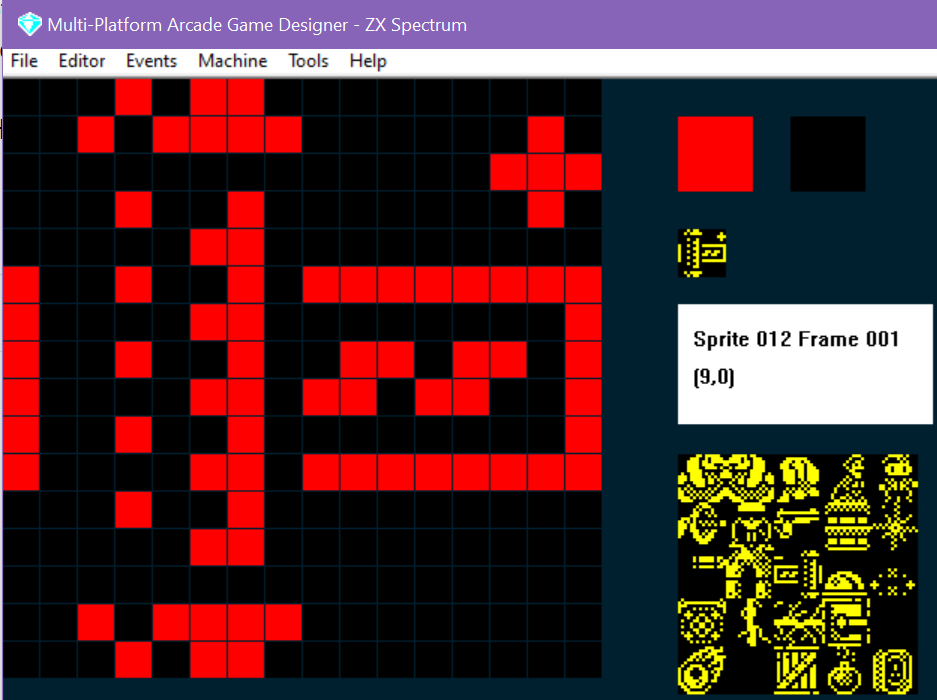
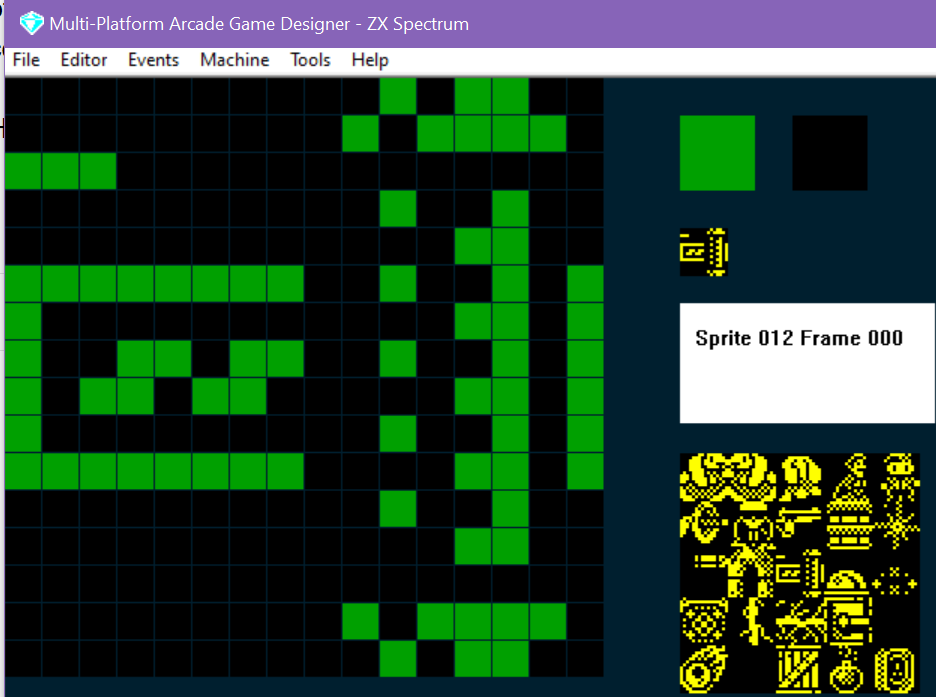
Once you've designed your switch, we'll need to write a little code that controls the player switching it on and off by colliding with it. When I first attempted this I got into a right mess, as the 'switching' is triggered when the player collided with it, it would alternate between ON and OFF during the collision. So the solution was to use a a sprite parameter (I used SETTINGA) to store whether there was an active collision or not - and if there was, only switch from its current state to the opposite state (ON/OFF), simple!
Here's the code in action, when the player touches the switch it will switch the electrical device on the right ON....and if it was already ON it will switch it OFF (we'll not worry about
the code for the electrical device today...just the fact that we can switch it ON or OFF)
Here's the SWITCH code:
IF IMAGE 12			; am I a switch?
   IF E = 0                     ; is the electricity OFF?
      SPRITEINK 2               ; be red when OFF
      LET FRAME = 1             ; display the OFF frame
   ELSE                         ; otherwise I must be ON
      SPRITEINK 4               ; be green when ON
      LET FRAME = 0             ; display the ON frame
   ENDIF
   IF COLLISION 0               ; is the player touching the switch?
      IF SETTINGA = 0           ; were they NOT already touching it ?
         IF E = 1               ; if electricity is ON
            LET E = 0           ; switch it off
         ELSE                   ; otherwise its OFF
            LET E = 1           ; so we'll switch it ON
         ENDIF
         BEEP 20                ; make a sound
         LET SETTINGA = 1       ; remember the player is touching the switch
      ENDIF
   ELSE                         ; if the player isn't colliding with the switch
      LET SETTINGA = 0          ; remember we are not touching it
   ENDIF
ENDIF
Finally, just to ensure the switch appears smoothly and correctly when the player enters a room with a switch, let's add some rules into the SPRITE INITIALISATION event:
IF TYPE 8                  ; or wherever your switch code is
   IF IMAGE 12             ; SWITCH
      IF E = 0             ; if electricity is off
         LET FRAME = 1     ; display the OFF frame
         SPRITEINK 2       ; and make it RED
      ELSE                 ; otherwise electricity is ON
         LET FRAME = 0     ; so display the ON frame
         SPRITEINK 4       ; make it green
      ENDIF
      LET SETTINGA = 0     ; to start with there is no active collision
   ENDIF
ENDIF
There you go, quick and easy switches, with a variable we can use elsewhere for what happens when the power is on. (IF E = 1 ... do really evil stuff!)
Hope this helps!