
The basic game mechanics have started to take shape so now we'll tackle killing the aliens, first, we'll create a new Sprite for enemy explosions, something like this:
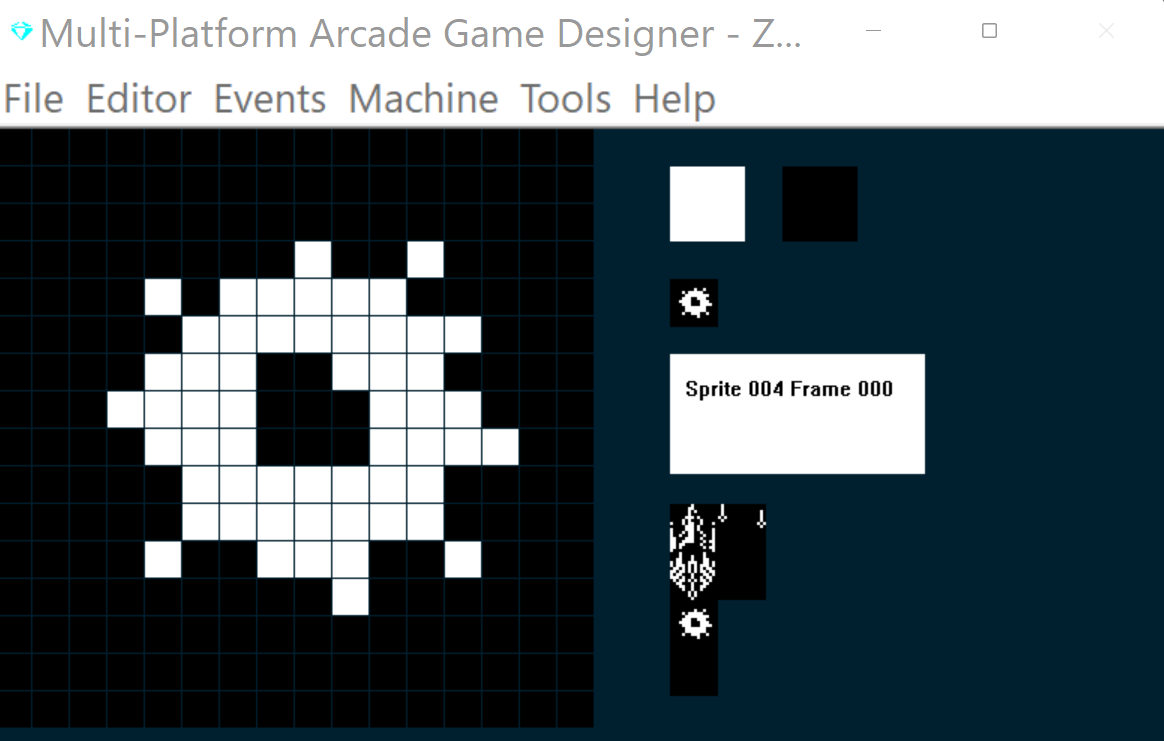
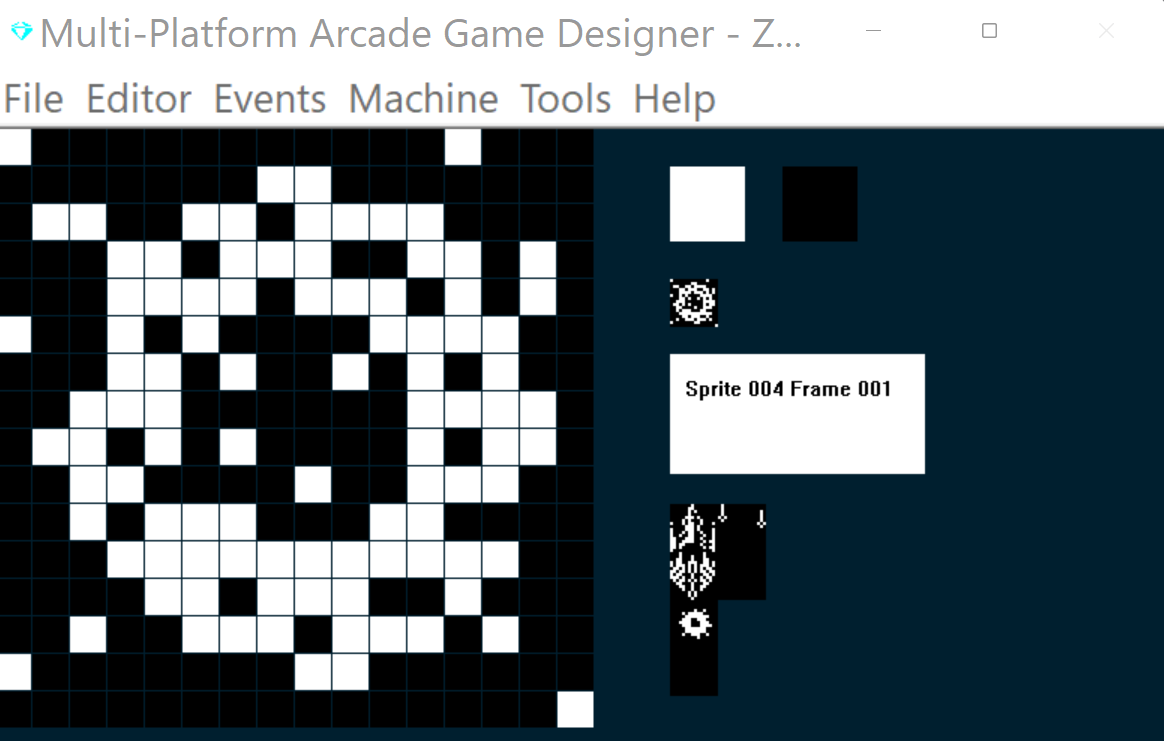
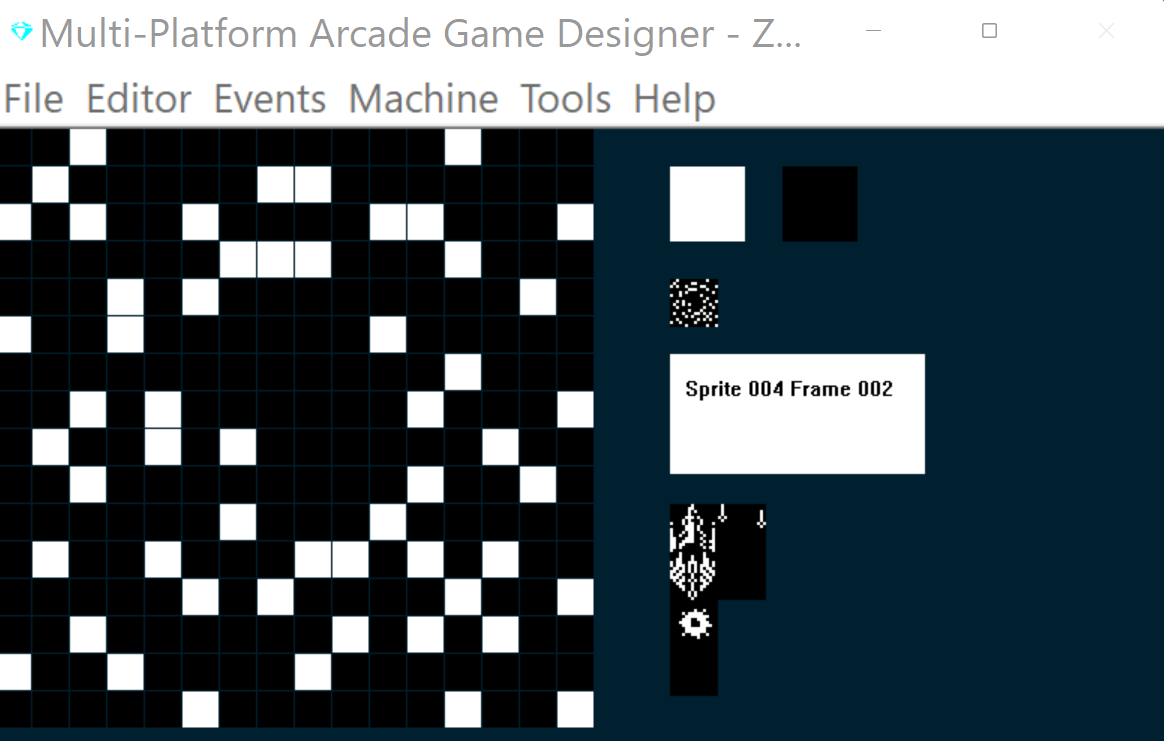
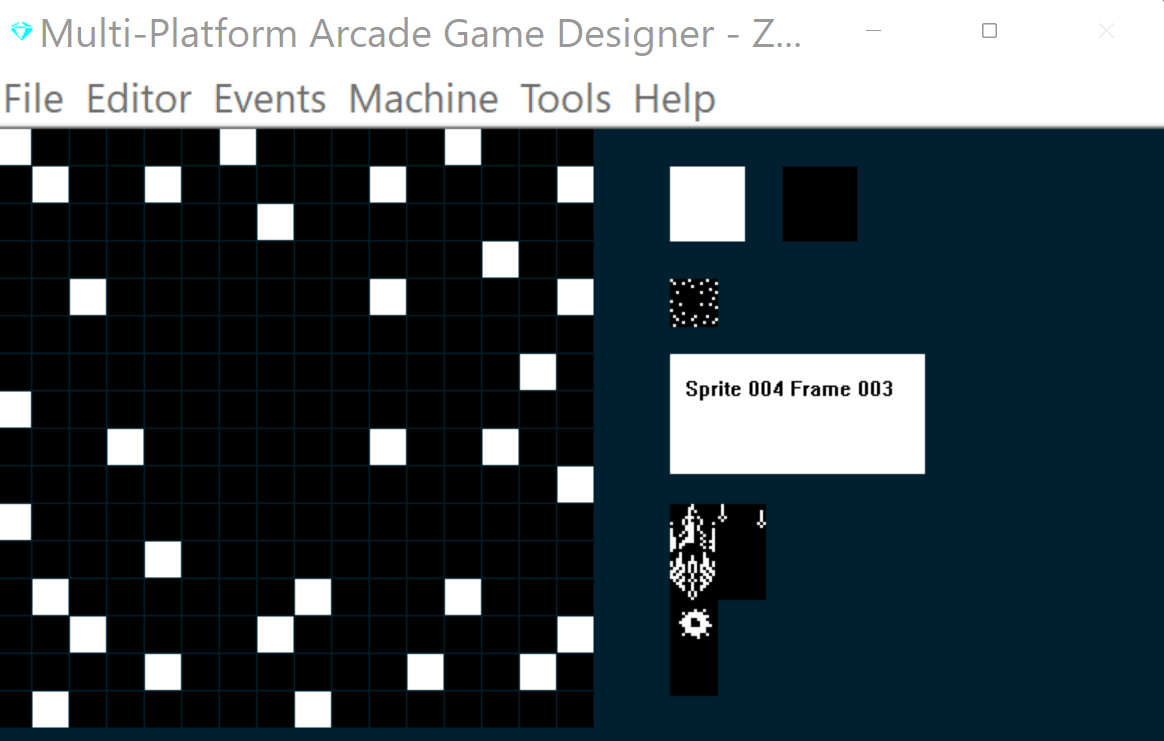
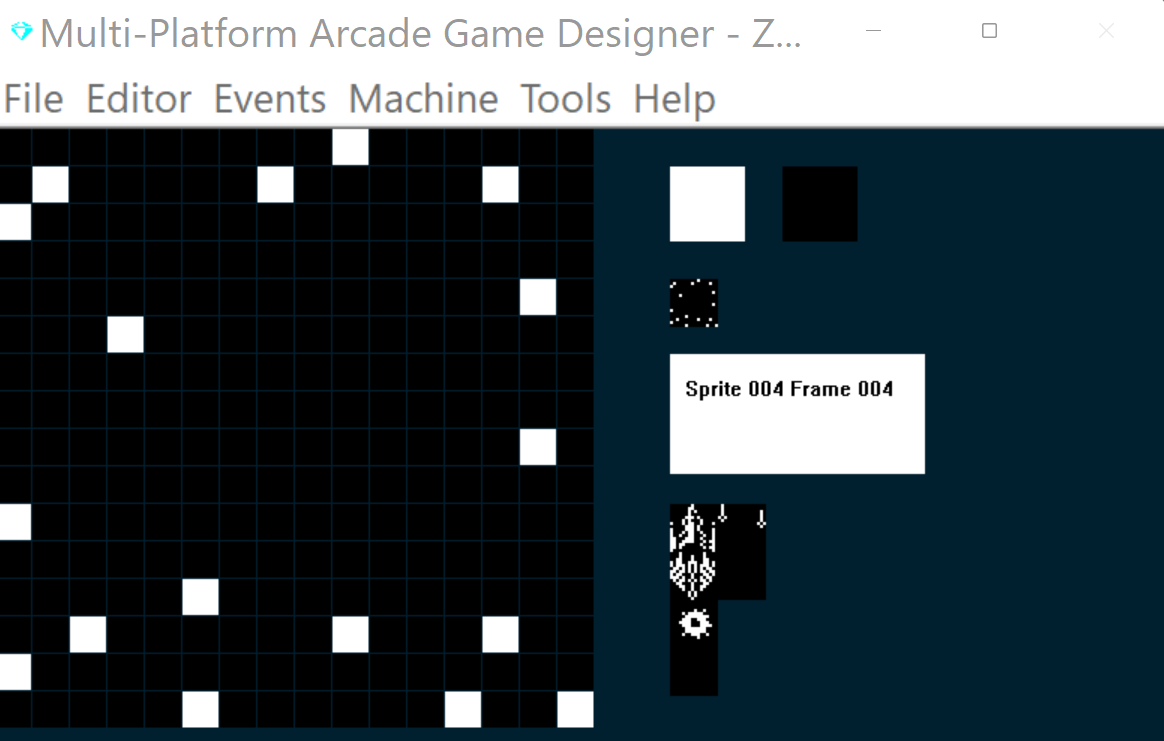
Next, we'll write some code for the Explosion, I'm going to use Sprite Type 6 for explosions:
EVENT SPRITETYPE6


ANIMATE 				   ; regular amination
IF FRAME = 4			   ; are we on the last frame?
   IF DIRECTION = 0	   ; was enemy hit by a torpedo?
      REMOVE			   ; yes, remove this sprite
      SUBTRACT 1 FROM S   ; decrement the sprite counter
   ENDIF
ENDIF
This will remove the explosion once it reaches the last frame, and reduce the number of on screen sprites.
Now, we'll add in some collision detection code into to our Alien sprite event (type 2) Add the code below to the bottom of your Sprite Type 2 event:
							; COLLISIONS
							; ===================
IF COLLISION 1				; if hit by a torpedo
	OTHER					; switch to the torpedo
	IF DIRECTION = 1			; is it unexploded?
		LET DIRECTION = 99	; explode the torpedo
	ENDIF
	ENDSPRITE				; return to this sprite
	LET TYPE = 6				; switch it to the explosion type
	LET IMAGE = 4				; and the explosion image
	LET FRAME = 0				; reset it to first frame
	LET DIRECTION = 0			; this is an alien exploding
ENDIF
This does two things when a collision between a torpedo and an Alien is registered:
1) it tells the torpedo to explode
2) it switches the Alien to the Alien Explosion Type and Image
Let's build and test:
{insert video}
Cool, now we can shoot them!
Although, I can see one obvious flaw, notice how nothing happens when our player spaceship collides with an Alien, we need to fix that so both the Alien and the Player explode.
Head back to your Alien Event (type 2) and add the following code to the bottom:
IF COLLISION 0				; if enemy and player collide
	LET TYPE = 6				; switch it to the explosion type
	LET IMAGE = 4				; and the explosion image
	LET FRAME = 0				; reset it to first frame
	LET DIRECTION = 0			; this is an alen exploding
	OTHER
	LET TYPE = 6				; switch it to the explosion type
	LET IMAGE = 4				; and the explosion image
	LET FRAME = 0				; reset it to first frame
	LET DIRECTION = 1			; this is the player exploding
	ENDSPRITE
ENDIF
Now both will explode when the two ships collide.
We're making some decent progress here, but there's still lots to do, however, before I go any further I think we've got a gameplay decision to make.
NEXT: Part 7 : A Gameplay Decision